Appearance
Materials
A surface material is the look of a surface: grass, asphalt, wooden floor, roof tiles, brick wall. Terrain layers, roads and buildings use surface materials. The Materials workspace is the library of these materials.
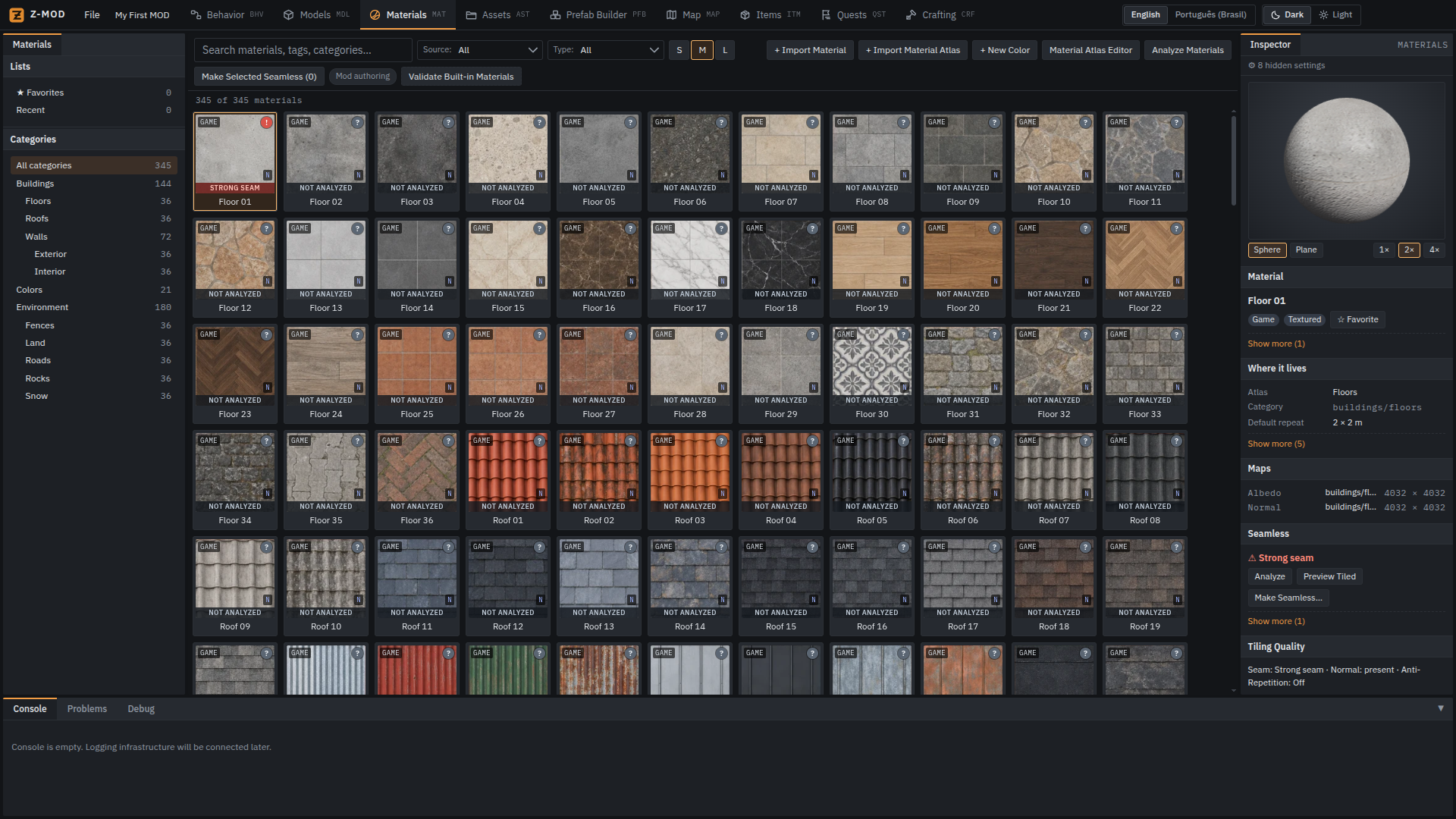
Game materials and Mod materials
- Game materials come with Z-MOD. You can use them, but you cannot change them: "Game materials are read-only in Mod authoring."
- Mod materials are the ones you add. They are part of your MOD.
A material can be Textured (made from images) or a flat Color.
Find a material
- Categories (left panel): Buildings (Floors, Roofs, Walls), Colors, Environment (Fences, Land, Roads, Rocks, Snow), and others.
- Lists: Favorites and Recent.
- The search box: Search materials, tags, categories…
- The filters Source (All, Game, Mod) and Type (All, Textured, Color).
- S, M, L: the size of the thumbnails.
Click a material to see it in the Inspector: a preview on a Sphere or a Plane, where it is stored (Where it lives), its image maps, and what uses it.
Import a material
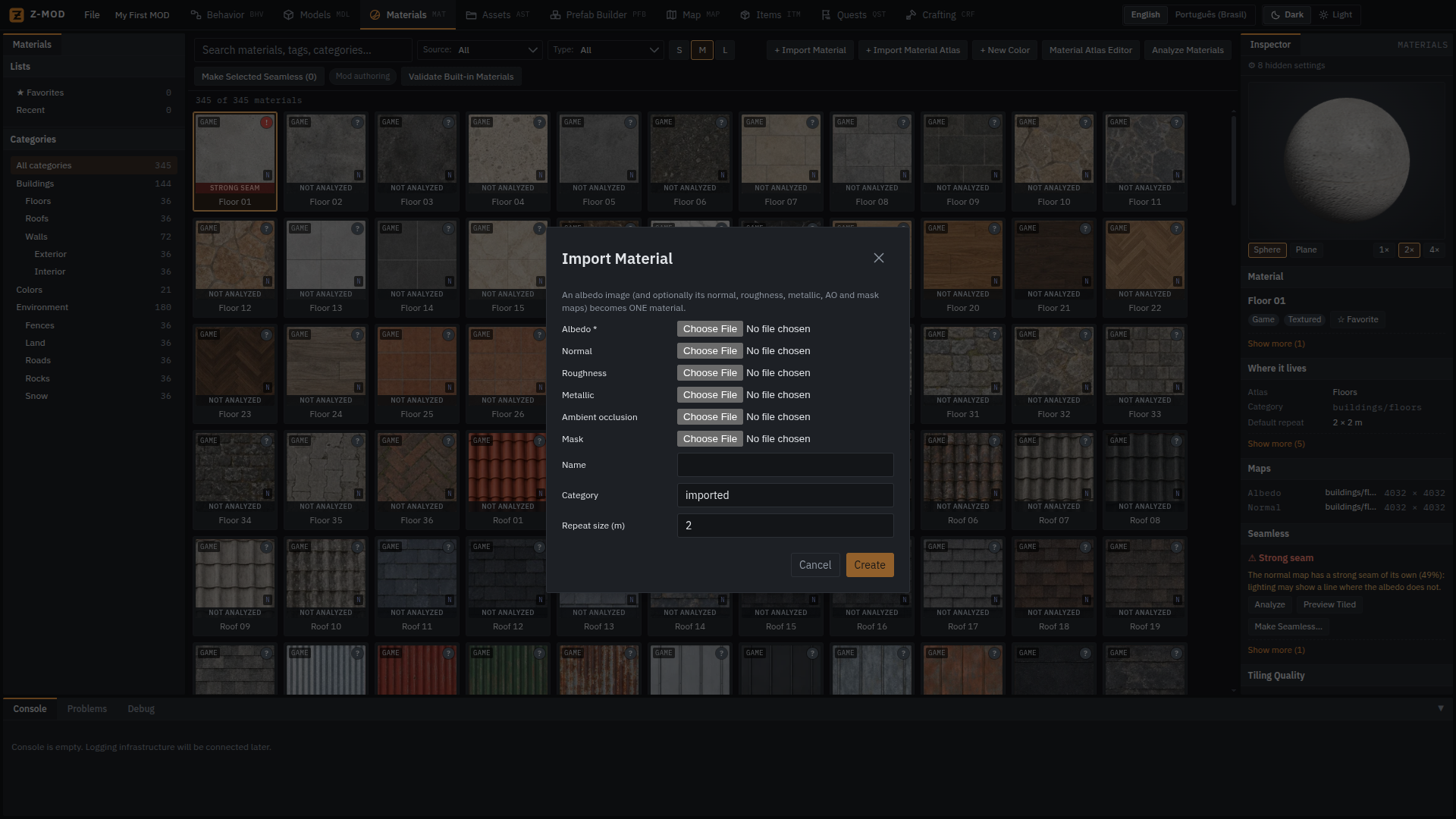
- Click + Import Material.
- Choose the images of the material. Only Albedo (the color image) is required. You can also add Normal, Roughness, Metallic, Ambient occlusion and Mask maps. Accepted files:
.png,.jpg,.jpeg,.webpand.tga. - Type a Name, choose a Category, and set the Repeat size (m): how many meters one copy of the image covers.
- Click Create.
All maps must have the same size
The extra maps (normal, roughness…) must have the same pixel size as the albedo image.
Create a color material
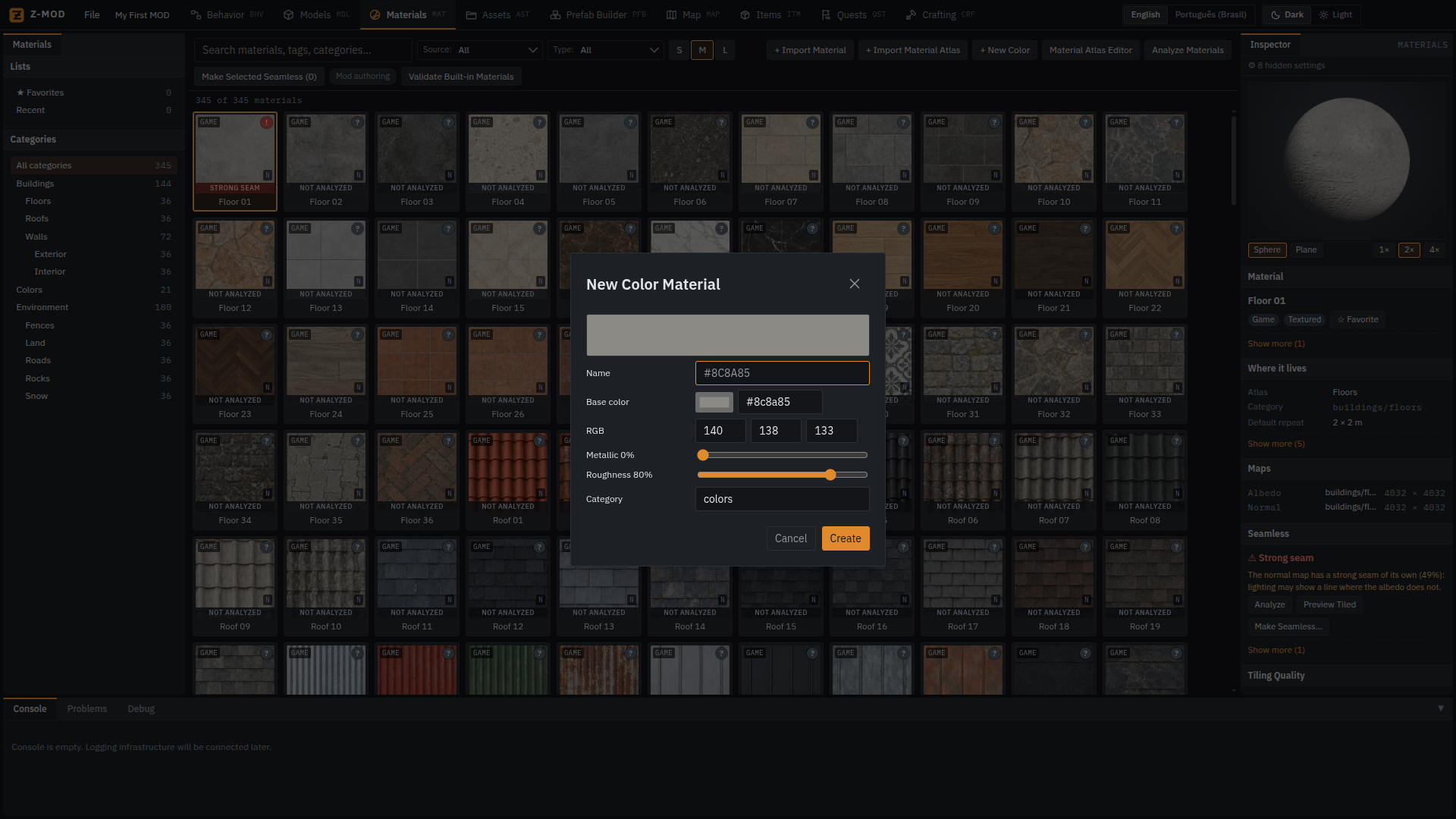
- Click + New Color.
- Choose the Base color (as
#rrggbb), Metallic and Roughness. - Click Create.
Other tools
- + Import Material Atlas: imports one big image that holds several materials, and opens the Material Atlas Editor to cut it into pieces (Auto Slice by Rows × Columns or Tile size).
- Analyze Materials and Make Seamless…: check whether a texture shows visible seams when it repeats, and try to fix them. Preview Tiled shows the texture repeated.
- Delete material: removes a Mod material. If something uses it, Z-MOD lists what uses it first; those surfaces show a fallback until the material comes back.