Appearance
Entities and spawns
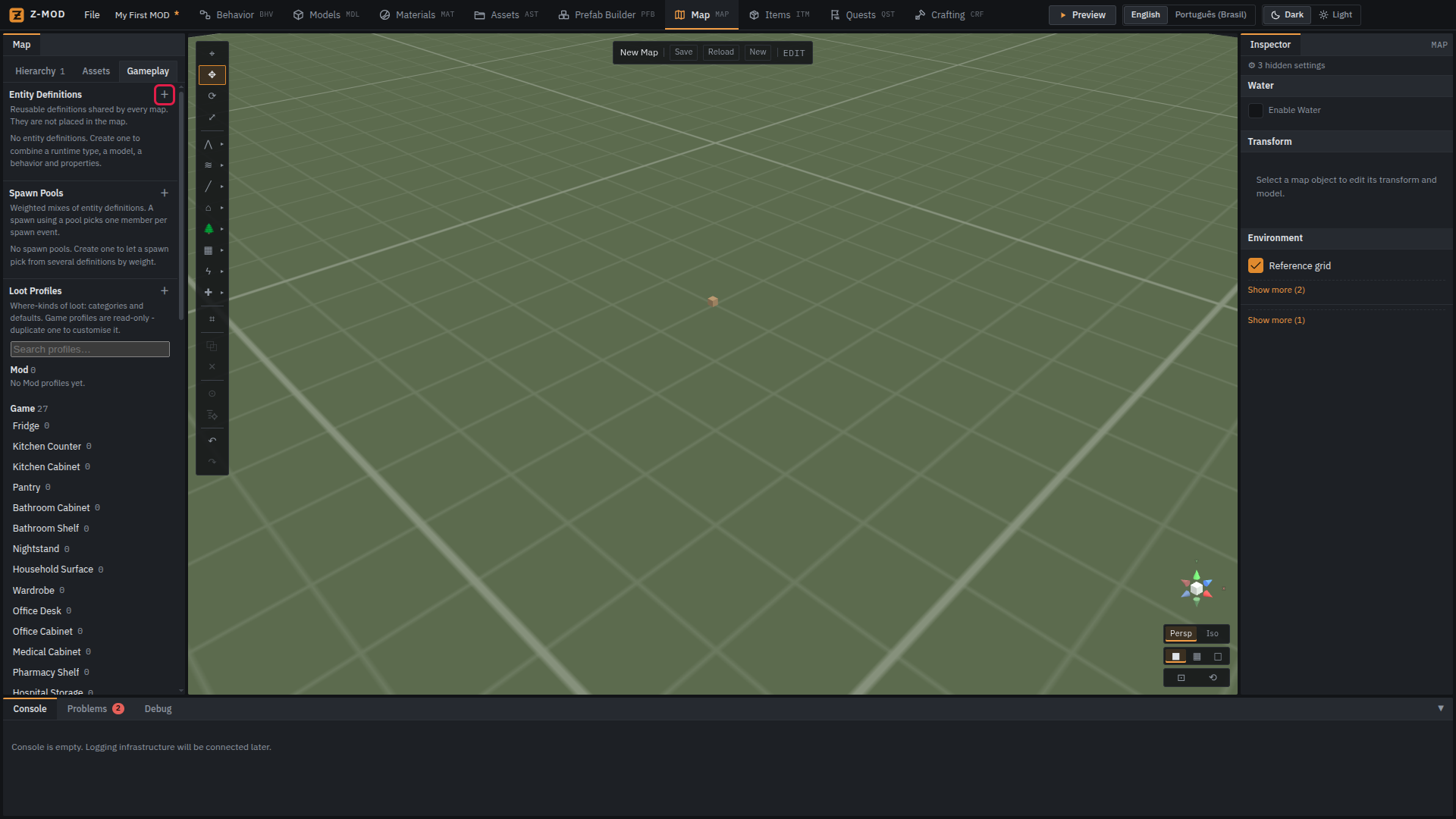
To put zombies, NPCs, animals or vehicles in your map, you use entity definitions and spawn pools. You find them in the Map workspace, in the Gameplay tab of the left panel.
Entity definitions
An entity definition is a reusable recipe for a character or object of the game. It combines:
- a runtime type: what it is in the game (Player, Zombie, NPC, Animal, Vehicle, Prop or Interactive);
- a model: how it looks (see Models);
- a behavior: how it acts (see Behaviors);
- properties: values such as health or speed, depending on the type.
Definitions are shared by every map of the project. A definition is not placed in the map by itself: you place instances of it.
Create an entity definition
In the Map workspace, open the Gameplay tab.
Next to Entity Definitions, click + (New Entity Definition). A definition called New Entity, of type Zombie, is created and opens in the Inspector.
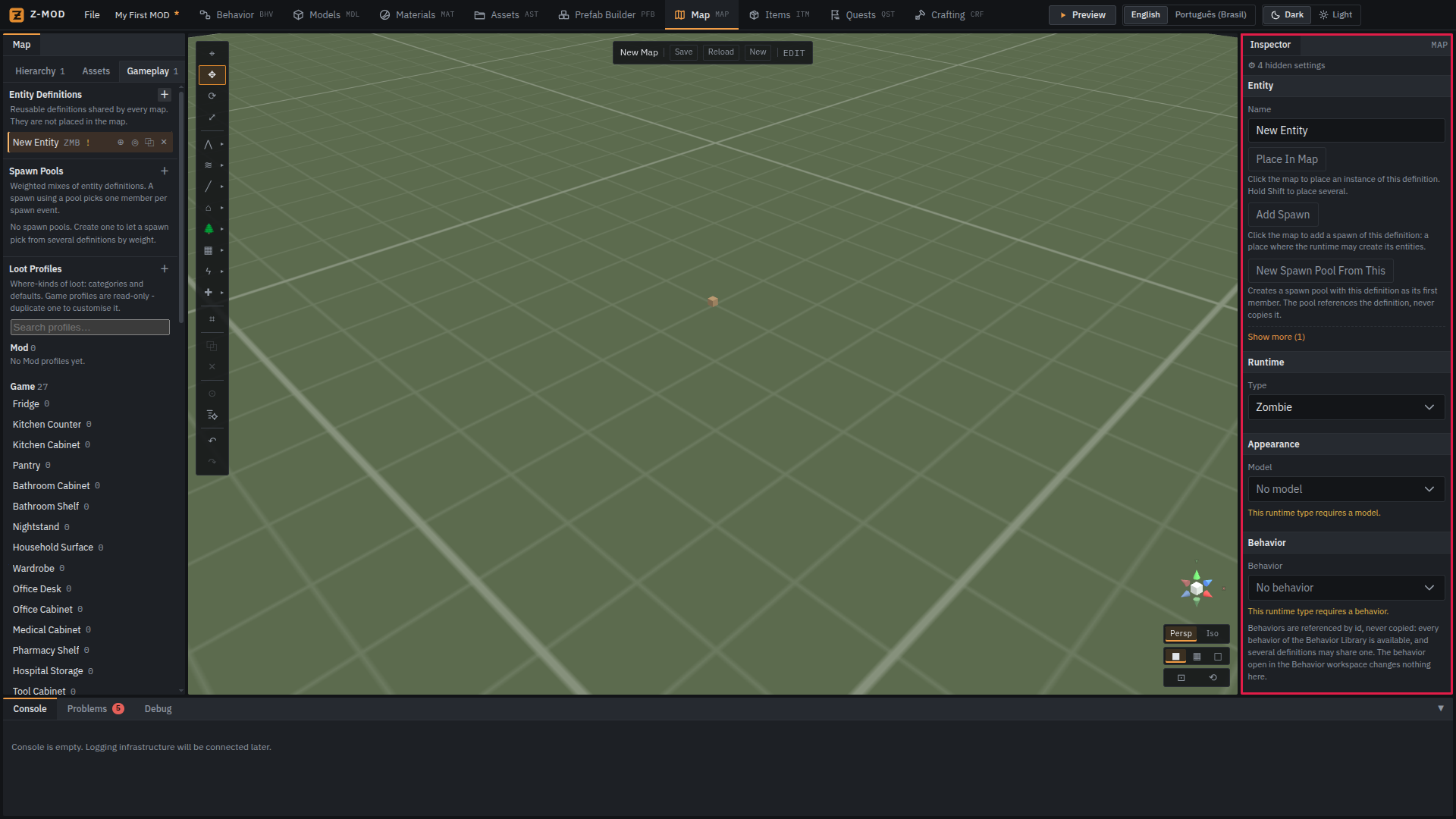
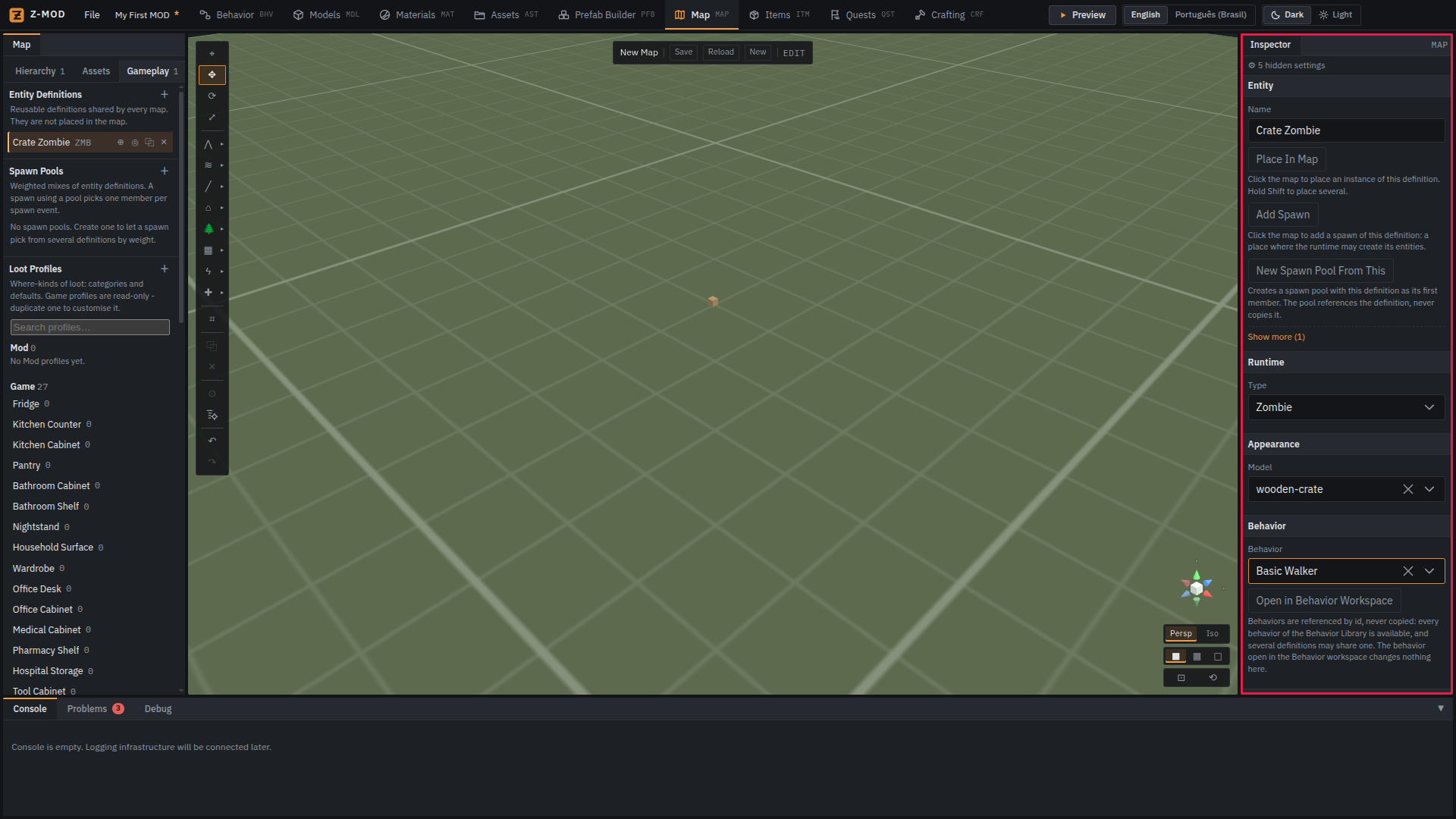
In Name, type a name, for example
Crate Zombie.In Runtime > Type, choose the type.
In Appearance > Model, choose a model.
In Behavior > Behavior, choose a behavior. Its Behavior Target must match the type: a zombie needs a Zombie behavior.
What each type needs
Every type needs a model. Zombie and Animal also need a behavior. For Player, NPC and Vehicle, a behavior is optional.
Click Open in Behavior Workspace to edit the chosen behavior. The behavior is not copied: if several definitions use it, they all change.
Place an entity in the map
- Select the definition in the Gameplay tab.
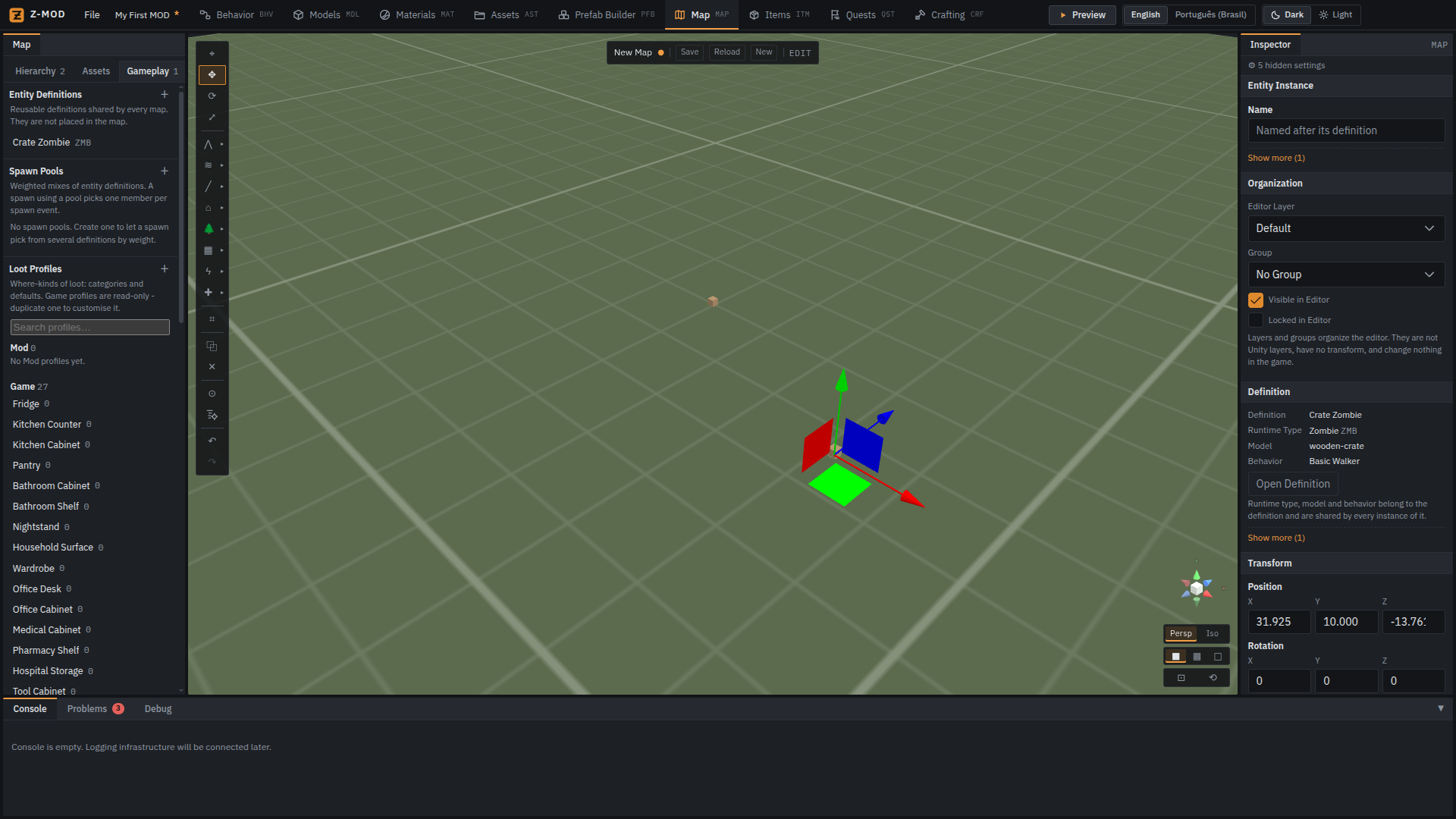
- In the Inspector, click Place In Map.
- Click on the map where you want it. Hold Shift to place several.
The instance appears in the map and in the Hierarchy, under Gameplay > Entities. Its Inspector shows Entity Instance, with its own position. Its type, model and behavior belong to the definition: click Open Definition to change them.
Spawns
A spawn is a place in the map where the game may create entities while you play, instead of an entity that is always there. To add one, select the definition and click Add Spawn, then click on the map.
Spawn pools
A spawn pool is a weighted mix of entity definitions. A spawn that uses a pool picks one member each time it creates an entity. For example: 3 slow zombies for each fast zombie.
- Next to Spawn Pools, click + (New Spawn Pool). You can also select a definition and click New Spawn Pool From This.
- In the Inspector, type a Name.
- In Members, choose a definition and click Add Member.
- Set the Weight of each member. Weights are relative:
1, 1, 2and10, 10, 20give the same mix.
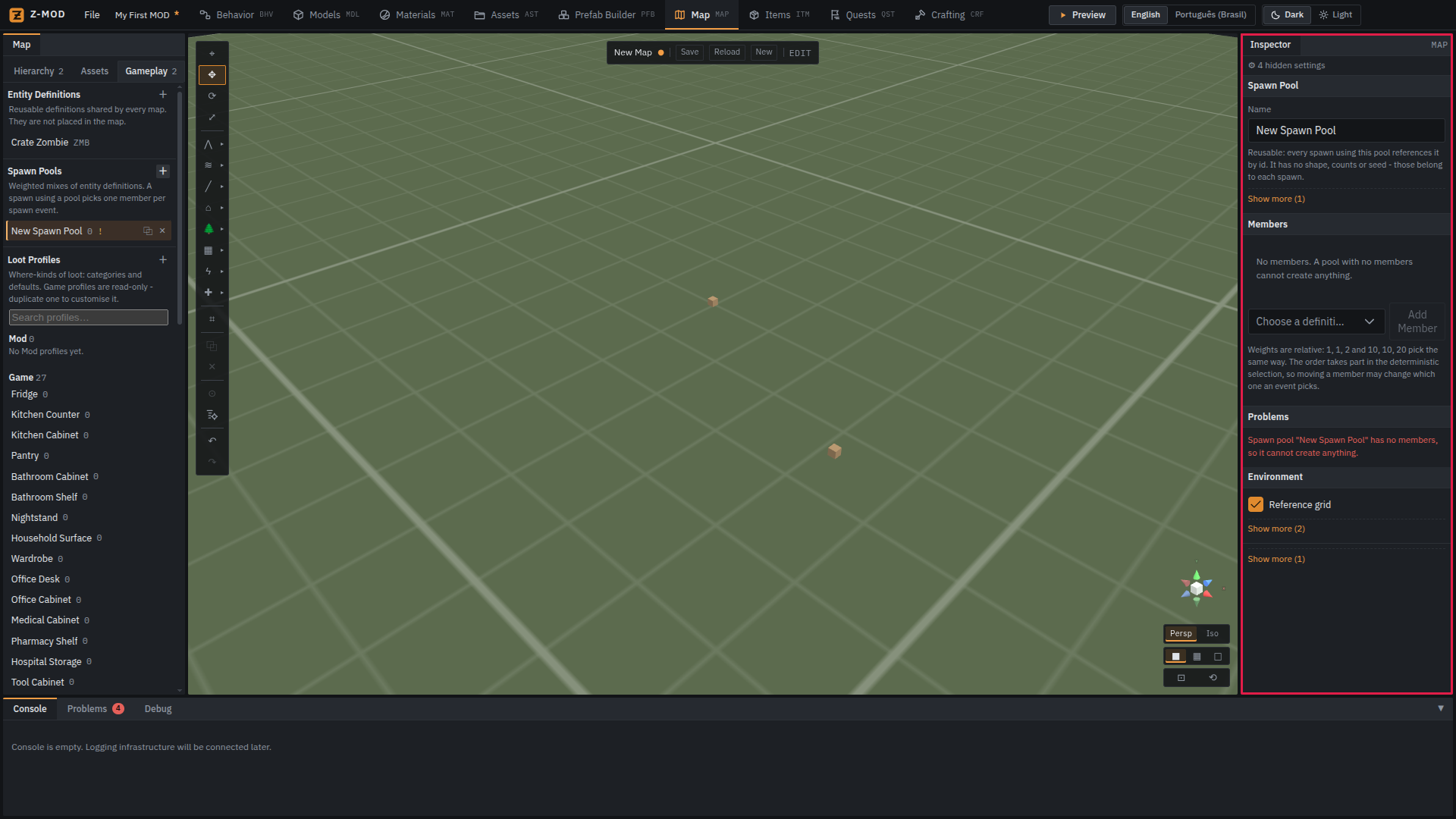
A pool needs members
A pool with no members cannot create anything. Z-MOD shows the problem "Spawn pool … has no members, so it cannot create anything."
Loot and vehicle spawn profiles
The Gameplay tab also has:
- Loot Profiles: where loot can appear and which kinds of loot (categories), with a chance and a minimum and maximum number of items. The Game profiles are read-only: duplicate one to customize it. Use the Loot tool of the map toolbar to place loot points and areas.
- Vehicle spawn profiles: which kinds of vehicles can appear. Use the Vehicle Spawns tool of the map toolbar to place vehicle spawn slots and areas.
Common messages
| Message | What to do |
|---|---|
| "…" needs a model: runtime type zombie requires one. | Choose a Model for the definition. |
| "…" needs a behavior: runtime type zombie requires one. | Choose a Behavior for the definition. |
| … uses a … behavior, which does not fit runtime type … | Choose a behavior with the right Behavior Target. |
| No members. A pool with no members cannot create anything. | Add at least one member to the spawn pool. |
| There are no entity definitions to add. Create one first. | Create an entity definition before you fill the pool. |