Appearance
Items and crafting
Items
An item is a thing the player can carry: a tool, food, medicine, a weapon, a material… The Items workspace is the Item Catalog of your MOD.
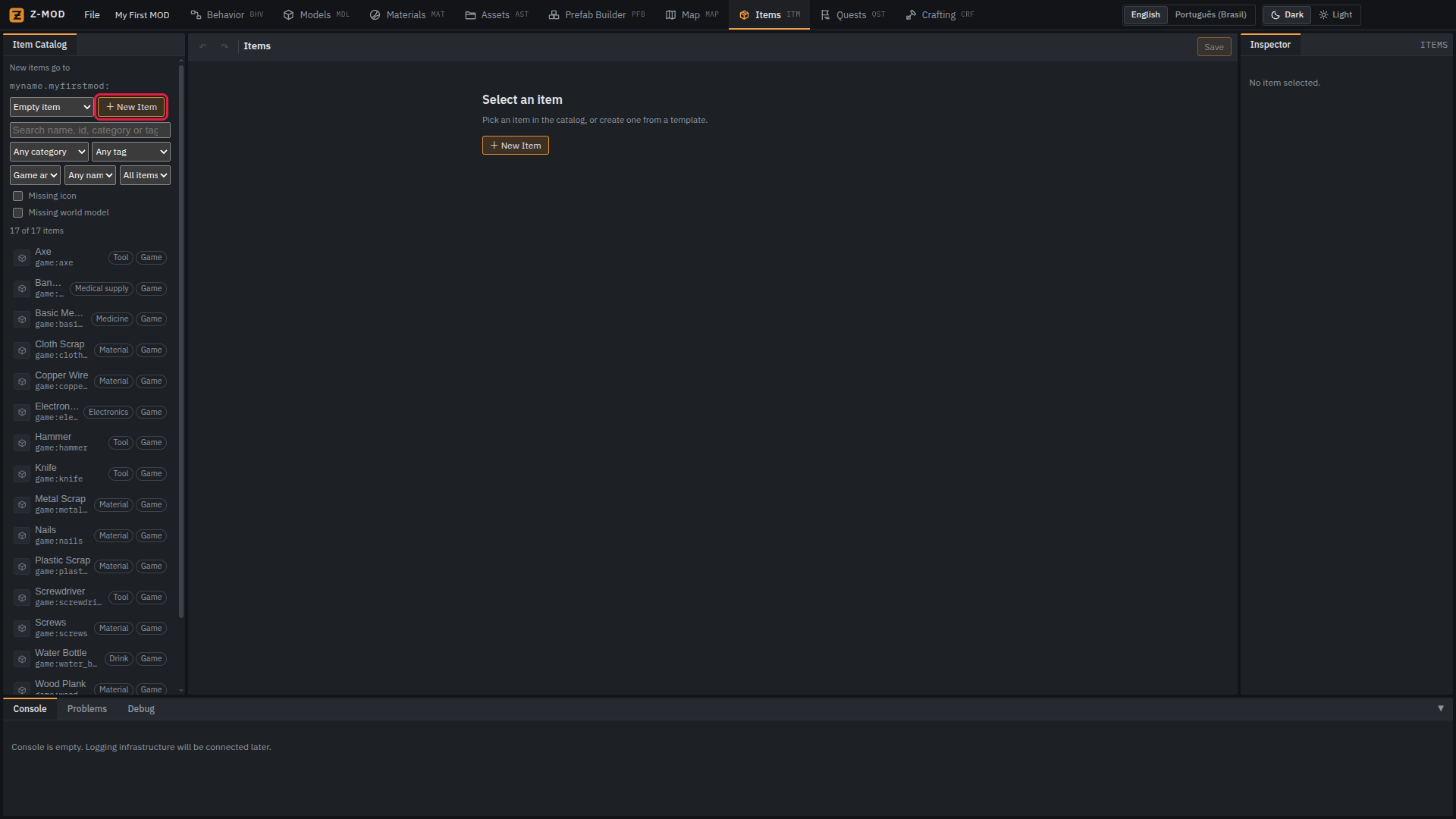
The catalog lists the items of the game (Game) and of your MOD (Mod). Game items are read-only: "A shipped Game item: read-only. Duplicate it to make your own version." Click Duplicate as my item to make an editable copy.
Create an item
- Open Items.
- In the Template list, choose a starting point: Empty item, Generic Material, Tool, Food, Drink, Medicine, Weapon, Ammo, Clothing or Electronic Part.
- Click + New Item.
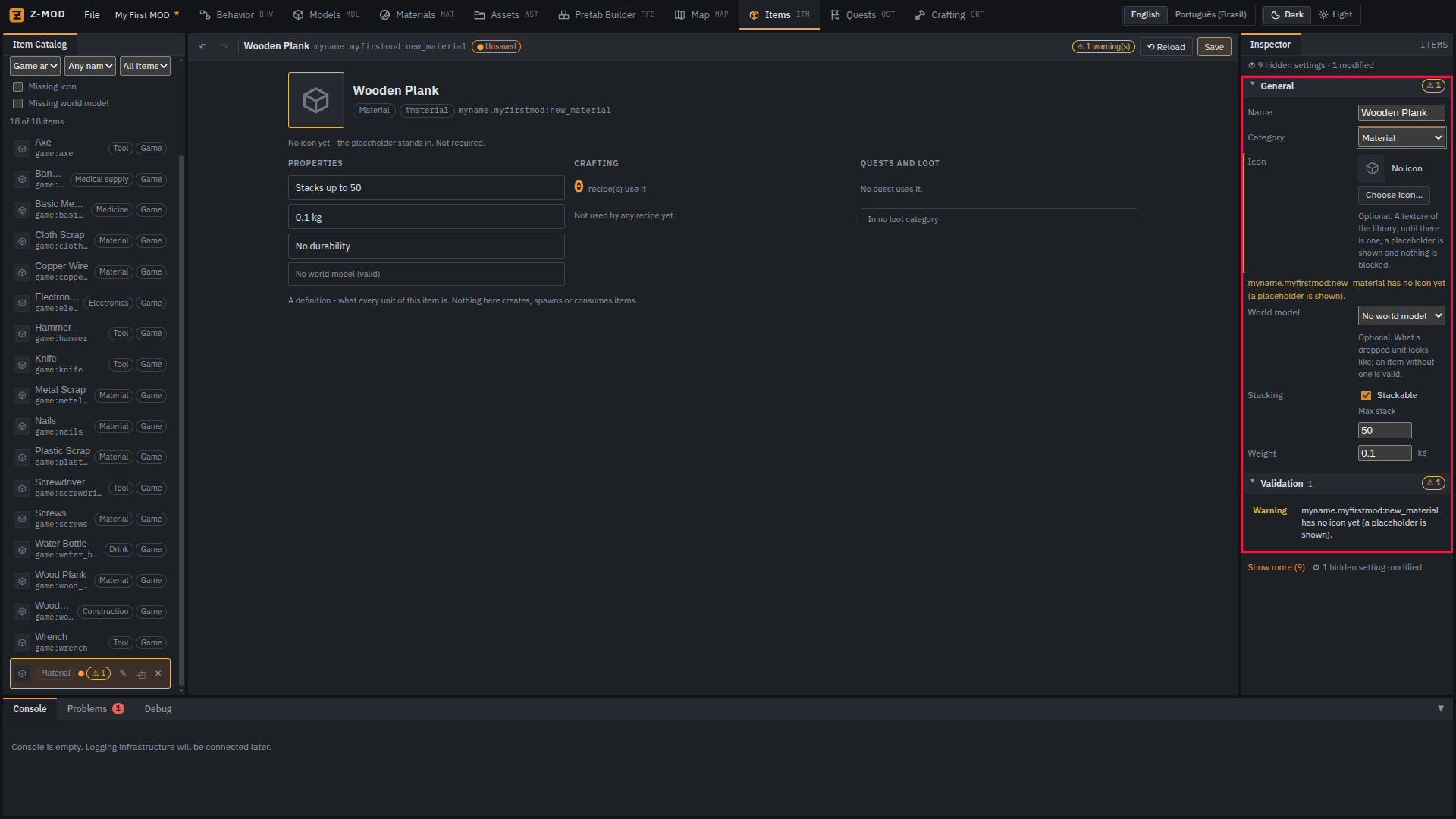
- In the Inspector, fill in the item.
The Mod ID comes first
New items get an id that starts with your Mod ID (for example myname.myfirstmod:new_material). If the MOD has no Mod ID yet, Z-MOD shows "Set the Mod's id (Mod settings) to author items." and you cannot create items.
The main fields of an item:
| Section | Fields |
|---|---|
| General | Name, Description, Icon (Choose icon…), World model (how a dropped item looks; optional), Stackable and Max stack, Weight (kg), Enabled. |
| Classification | Category and Tags. A tag looks like material.wood or tool.hammer. Recipes can ask for a tag instead of a specific item. |
| Durability | Has durability and Max durability. |
| Loot | The loot categories the item belongs to. With none, loot never gives this item. |
| Advanced | The Item id. Click Change ID… to change it. |
The Crafting and Usage sections show which recipes produce or use the item, and which quests use it.
The bar above the item has Undo, Redo, Reload and Save.
Common item messages
| Message | What to do |
|---|---|
| The item … has no name. | Type a Name. |
| … has no icon yet (a placeholder is shown). | Only a warning. Choose an icon with Choose icon… when you have one. |
| The max stack of … must be a whole number from 1 to … | Fix Max stack. |
| The weight of … must be from 0 to … kg | Fix Weight. |
| The tag … of … is not valid (lowercase, dot-separated). | Write tags in lowercase, with dots, like material.wood. |
| Another item already has that id. | Choose another id. |
Crafting
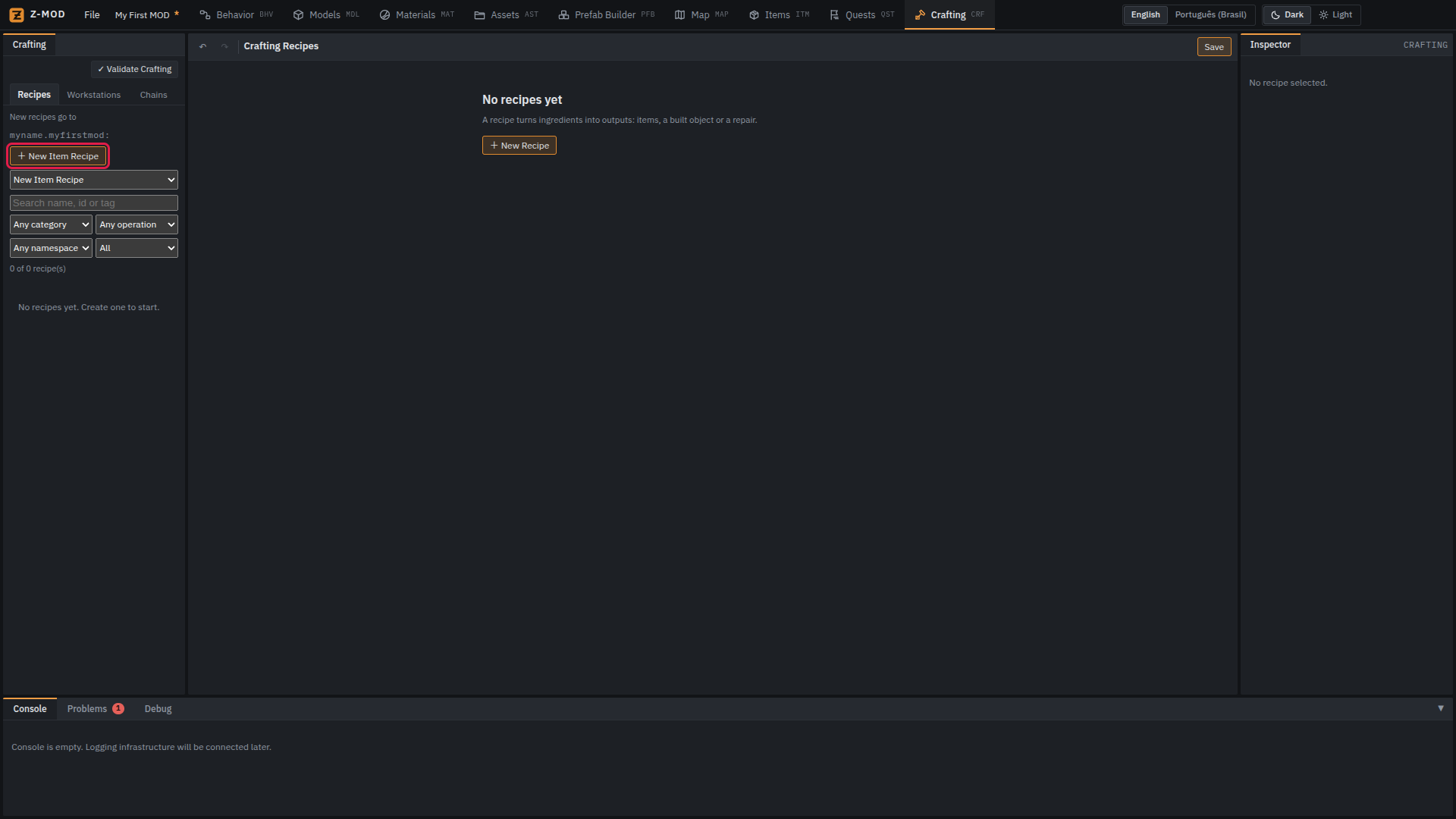
A recipe turns ingredients into outputs: items, a built object, or a repair. The Crafting workspace has three tabs: Recipes, Workstations and Chains.
Create a recipe
- Open Crafting and the Recipes tab.
- In the template list, choose the kind of recipe: New Item Recipe, New Build Recipe, New Repair Recipe, New Reinforce Recipe, New Upgrade Recipe, New Dismantle Recipe or New Salvage Recipe.
- Click the + button (for example + New Item Recipe).
- In the Inspector:
- General: type the Name, and choose the Category and the Operation (Craft, Cook, Refine, Construct…).
- Ingredients: in Add ingredient, choose an item and set its Quantity.
- Tools (optional): items the player must hold. A tool is kept, unless it is marked as consumed.
- Workstation (optional): No station (by hand, anywhere) or At a station.
- Process: the Duration in seconds.
- Outputs: click + Item, choose the item produced, and set its Quantity.
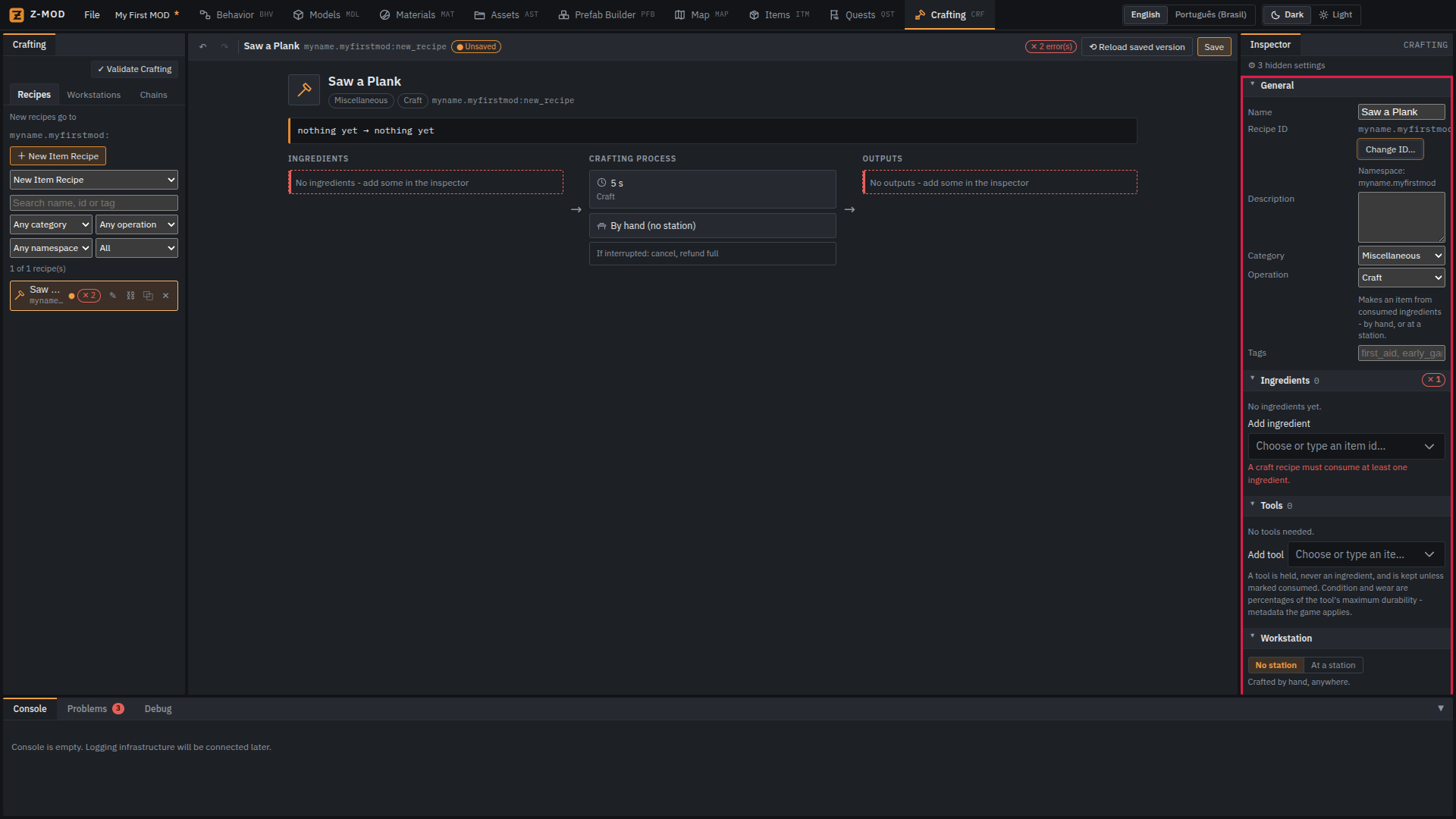
The center of the screen summarizes the recipe: Ingredients → Crafting process → Outputs. A new recipe shows "No ingredients - add some in the inspector" and "No outputs - add some in the inspector" until you fill them in.
Click ✓ Validate Crafting to check all the recipes at once.
Workstations and chains
- Workstations: places where some recipes must be made, such as a Basic Workbench, a Campfire, a Stove, a Forge or a Medical Station. Click New Workstation to create one.
- Chains: a view of how recipes connect, from raw materials to final products. Click New Chain to create one. A chain only links existing recipes; nothing is copied.
Common crafting messages
| Message | What to do |
|---|---|
| A … recipe must consume at least one ingredient. | Add an ingredient. |
| The item … is not in the … - pick an item of the catalog, or create it there. | Choose an existing item, or create it in Items first. |
| The quantity must be a whole number from 1 to … | Fix the Quantity. |
| The duration must be more than 0 and at most … seconds | Fix the Duration. |
| The display name is empty. | Type a Name. |